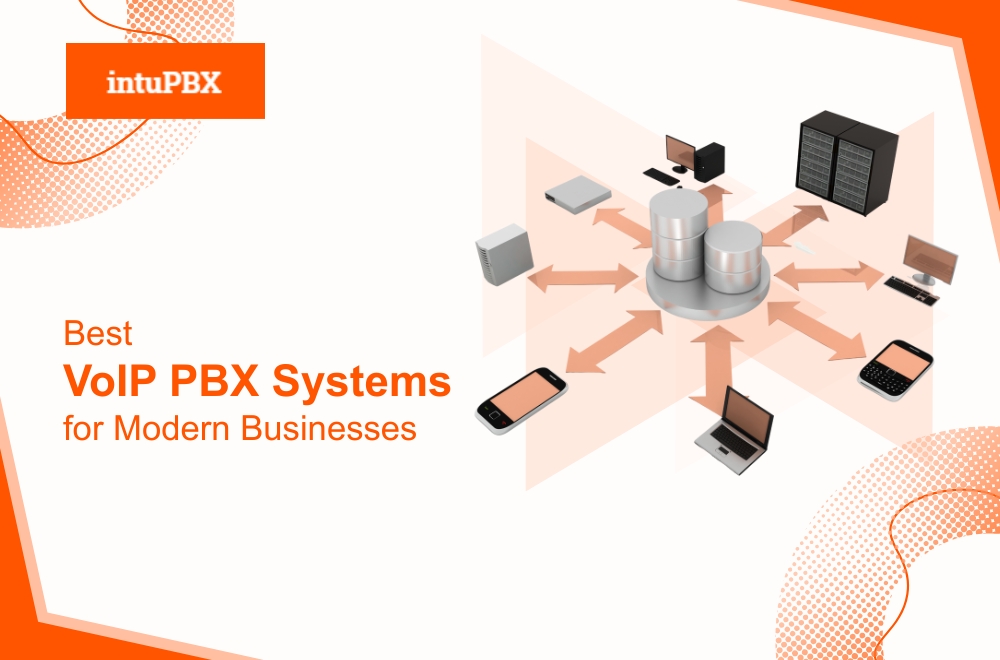
Best VoIP PBX Systems for Modern Businesses
Modern organisations depend on flexible, cloud-driven communication tools that support remote, hybrid, and multi-location teams. As companies shift away from hardware-based phone systems, many now compare different platforms to identify the best VoIP PBX system for their operational needs. These systems provide digital routing, collaboration tools, and internet-based calling to help businesses improve communication efficiency and reduce maintenance overhead.
What Is a VoIP PBX System?
A VoIP PBX (Voice over Internet Protocol Private Branch Exchange) is a cloud-based communication system that manages business calling through the internet instead of analog phone lines. It handles routing, extensions, queues, voicemail, recordings, and other communication workflows digitally.
How It Works
A VoIP PBX system receives calls over a data network, applies configured rules, and directs them to the correct user or department. This creates a flexible environment that adapts to changing business needs without physical hardware.
Practical Example
A company opening a new branch can create extensions, call menus, and phone numbers instantly without installing additional PBX cabinets or phone lines.
How VoIP PBX Differs from Legacy PBX
Legacy PBX relies on copper lines, on-site equipment, and manual configuration. VoIP PBX systems remove physical limitations by operating entirely through the cloud or hosted environments.
Key Differences
- Infrastructure dependency: Legacy PBX requires hardware; VoIP PBX uses cloud hosting
- Scalability approach: Legacy PBX expands with equipment; VoIP PBX scales digitally
- Maintenance: Legacy requires on-site visits; VoIP PBX uses remote updates
- Flexibility: Legacy is location-bound; VoIP PBX works anywhere with internet
- Integration capability: Legacy PBX is limited; VoIP PBX supports CRMs, helpdesks, and workflow tools
Practical Example
A legacy PBX system may need rewiring to add new extensions, while a VoIP PBX lets administrators create new users in less than a minute through an online dashboard.
Benefits of VoIP PBX Systems for Remote Teams
Remote collaboration has become a standard requirement for many businesses. VoIP PBX platforms support distributed teams by providing tools that streamline communication across devices and locations.
Benefits for Remote Environments
- Device flexibility allows employees to use mobile apps, laptops, or desk phones
- Consistent experience as team members can log in from anywhere
- Centralised oversight so managers can track performance and call quality
- Built-in collaboration with messaging, conferencing, and file sharing
- Secure connectivity through encryption and controlled access
- Easy onboarding with softphone setup and user-friendly provisioning
Example
A customer support agent working from home can answer calls, transfer customers, check call queues, and review call recordings just as they would in an office.
Key Features to Look for in a Digital PBX System
Choosing a communication platform requires evaluating which features support your operations today while preparing for future growth. The right digital PBX system should enhance productivity, streamline workflows, and adapt to different working styles.
Essential Features
- High-quality call routing with IVRs, queues, and time-based rules
- Unified communication tools for voice, video, and messaging
- Mobile and desktop applications for remote accessibility
- Automated provisioning for faster device deployment
- Scalability options to add new users and locations easily
- CRM and software integrations to improve workflow automation
- Analytics and reporting tools that track performance metrics
- Security layers, including encryption and access controls
- Redundant uptime architecture to ensure service continuity
Example
A sales team can integrate its PBX with a CRM so that incoming calls automatically display customer records, improving response time and personalisation.
Leading Business VoIP PBX Platforms in 2025
Several communication platforms support modern business needs with cloud-based tools, collaboration features, and flexible deployment options. Below is a balanced look at systems commonly used by organisations of different sizes and industries.
1. IntuPBX
IntuPBX provides a cloud-based communication environment designed for businesses needing flexibility, administrative control, and multi-branch management. It offers voice calling, routing tools, messaging, video meetings, integrations, and analytics. Businesses with multiple departments or distributed teams may appreciate its ability to organise users into structured groups with separate calling rules.
Example
A company with regional offices can assign each branch its own IVR, working hours, and permissions while maintaining oversight from a central dashboard.
2. RingCentral
RingCentral offers voice, messaging, and video communication in one platform. It supports workflows across remote and in-office teams and integrates with a wide range of software tools. Its collaborative environment makes it suitable for organisations that prioritise all-in-one communication.
Example
A marketing team can schedule video meetings, exchange messages, and manage calls without switching apps.
3. 3CX
3CX allows both cloud-hosted and on-premise deployments, giving organisations the option to maintain their own server infrastructure. It provides call routing features, softphones, and video communication tools. Businesses with in-house IT teams often select 3CX for its configuration flexibility.
Example
A technical department can integrate 3CX with existing SIP trunks and customise dial plans to comply with complex internal policies.
4. Zoom Phone
Zoom Phone expands the familiar Zoom meeting experience with cloud calling. It includes call queues, IVR menus, voicemail, and number management. Companies already using Zoom for meetings may find it efficient to consolidate video and voice communication into one interface.
Example
A distributed team that relies on Zoom meetings can manage internal calls and customer inquiries without adopting additional software.
5. Vonage Business Communications
Vonage offers VoIP calling, messaging, and workflow integration features. Its API-driven environment supports businesses that rely heavily on automation and CRM-based workflows.
Example
An e-commerce company can use Vonage integrations to trigger notifications and support tasks based on customer call activity.
How IntuPBX Enhances Communication for Modern Businesses
This section explains IntuPBX in a neutral, comparative manner without promotional language.
IntuPBX supports businesses that need a structured, flexible, and cloud-based communication system that adapts to different roles, departments, and locations. Its features are comparable to other platforms but are particularly useful for organisations that manage multiple branches, teams, or internal groups.
IntuPBX Capabilities
- Voice calling with configurable routing rules
- Unified communication tools for messaging and video
- Multi-branch organisation for structured operations
- Centralised dashboard for administrative control
- Softphone applications for mobile and desktop users
- Device onboarding via QR codes and automated provisioning
- Security protections, including encrypted communication
- Reporting tools for call analytics and performance tracking
- Integration support for CRMs and business software
Example
A business with separate sales, finance, and support teams can assign each group different call queues, permissions, and working hours while keeping centralised reporting for management.
Choosing a Communication Platform That Fits Your Business
In the middle of the decision-making process, businesses often compare features, scalability, ease of use, and integration requirements across various providers to determine the best VoIP PBX system for their operations. Each platform offers a different balance of structure, flexibility, and collaboration tools, so the right option depends on your team size, workflow style, and long-term communication goals.
When evaluating systems, consider how each platform aligns with your:
- Daily communication volume
- Remote or hybrid work requirements
- Software integrations
- Security and compliance needs
- Growth expectations
- Administrative capabilities
Testing demos or trial versions can also help teams understand how a platform performs in real-world scenarios.
Final Thoughts
Digital communication continues to evolve, giving businesses a wider range of tools to support internal coordination and customer engagement. Identifying the best VoIP PBX system requires a balanced assessment of features, scalability, integration options, and user experience. Whether an organisation selects a platform like IntuPBX, RingCentral, Zoom Phone, 3CX, or Vonage Business Communications, the goal is to choose a system that supports reliable communication, adapts to team needs, and enhances operational efficiency.
Call us: +44 (0) 330 0882 015
Email: hello@code-desk.com
Visit: Intupbx.com